UI elements

Button

A visible action button. Study captured mobile app examples for UI/UX research.

  1. AJIO: Account hub

    My Account

    AJIO Account hub

    View the screen

  2. bigbasket: Payment methods

    Payment options

    bigbasket Payment methods

    View the screen

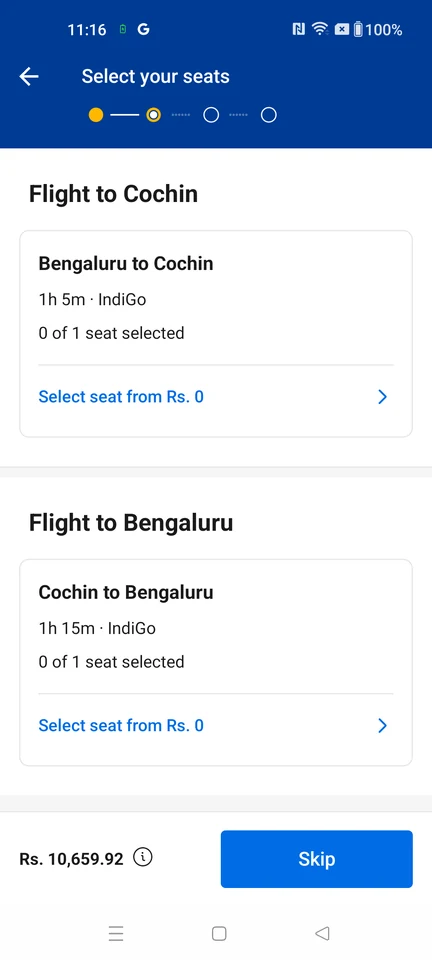
  3. Booking.com: Flight seat options

    Seat choices

    Booking.com Flight seat options

    View the screen

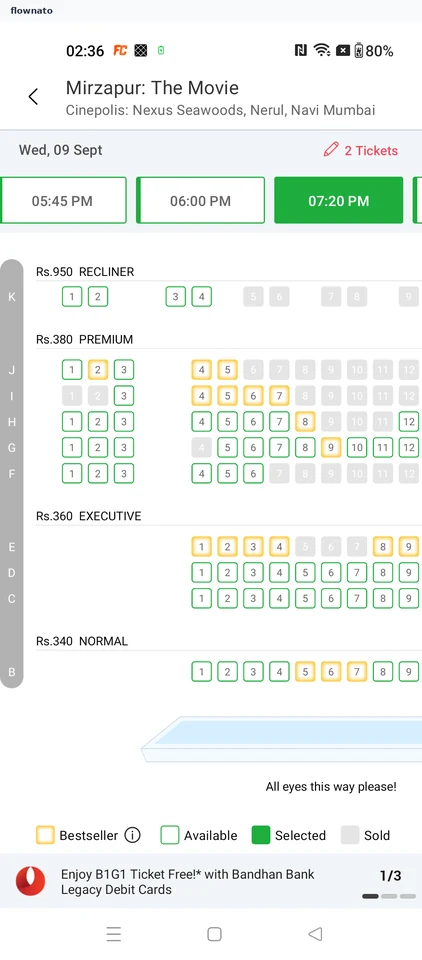
  4. BookMyShow: Cinema showtimes

    Showtimes by date and cinema

    Premium screenshot

    View the screen

  5. CarDekho: Phone number entry

    Premium screenshot

    View the screen

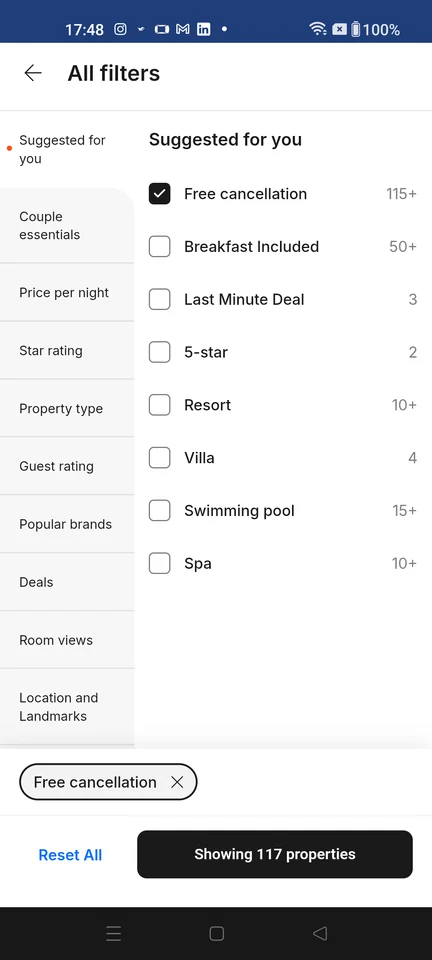
  6. Cleartrip: Hotel filters

    All filters shows refinement categories and options, with Free cancellation selected, Reset All, and an apply control estimating 117 properties.

    Premium screenshot

    View the screen

  7. Cricbuzz: Sign-in options

    Sign In

    Premium screenshot

    View the screen

  8. District: Sign-in options

    Dark launch sign-in screen: brand mark, 'For all your going out plans', 'LOG IN OR SIGN UP', a +91 mobile-number field, a disabled Continue button, a red 'Login with Zomato' button and the Terms of Service / Privacy Policy footer.

    Premium screenshot

    View the screen

  9. Domino’s: Home

    Guest home: preset Koramangala 4th Block location with a Detect Location banner, order-mode row (Delivery 20 MIN, Takeaway, Dine-in, Deliver on train), merchandised pizza cards with prices and Add controls, and Menu/Offers navigation. In dine-in mode the same surface re-binds its header to 'Dine-in at HSR LAYOUTS, ~100 meters' with a CHANGE control.

    Premium screenshot

    View the screen

  10. EaseMyTrip: Train availability

    Loaded train options from New Delhi to Mumbai Central with departure and arrival times, duration, seat availability, and filters.

    Premium screenshot

    View the screen

  11. FanCode: Sports home

    Sports home

    Premium screenshot

    View the screen

  12. Gaana: Sign-in options

    Sign-in options

    Premium screenshot

    View the screen

  13. Hungama: Podcast details

    Show detail

    Premium screenshot

    View the screen

  14. IKEA: Home

    Home

    Premium screenshot

    View the screen

  15. Inshorts: News article

    My Feed

    Premium screenshot

    View the screen

  16. ixigo: Phone verification

    Verify your mobile number

    Premium screenshot

    View the screen

  17. JioSaavn: Premium trial

    Pro free trial offer

    Premium screenshot

    View the screen

  18. MakeMyTrip: Navigation menu

    The app's account menu, slid over a dimmed home shell. For a guest it leads with a blue "Login/Sign-up now — Login for best deals & offers" call to action instead of an account name, then a three-tile shortcut row (My Trips, Profile, Wishlists — Wishlists carrying a red badge dot), an MMT ICICI Card offer row ("Limited time offer – Zero Joining fee", New), a Where2Go inspiration row ("Ideas for your next trip"), a five-item utility list (Customer Support, Notifications, Gift Cards, My Reviews, Refer & Earn), a supply-side "Get Started with Hosting — List your property & earn extra income" row, and the start of a Settings block beginning with Country, clipped by the drawer fold.

    Premium screenshot

    View the screen

  19. Meesho: Home

    Home feed

    Premium screenshot

    View the screen

  20. Myntra: Home

    Shopping home

    Premium screenshot

    View the screen

  21. Nykaa: Shoppable post

    Shoppable creator post

    Premium screenshot

    View the screen

  22. Pepperfry: Welcome

    Premium screenshot

    View the screen

  23. Pocket FM: Series details

    Series detail

    Premium screenshot

    View the screen

  24. Practo: Phone number entry

    Premium screenshot

    View the screen

  25. Purplle: Sunscreen results

    Search results

    Premium screenshot

    View the screen

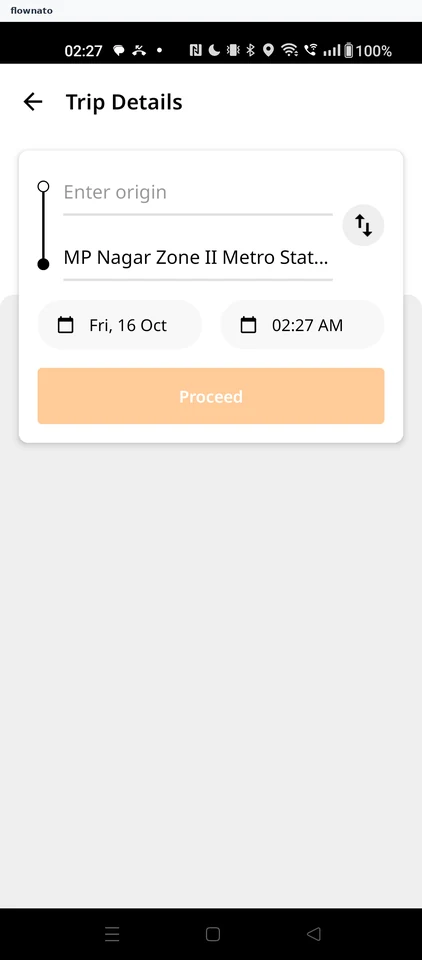
  26. Rapido: Ride destination search

    Premium screenshot

    View the screen

  27. redBus: Home

    Premium screenshot

    View the screen

  28. SNITCH: Shirts

    The listing surface used for category browsing and for text-search results: sub-filter chips (ALL, NEW, RELAXED, FORMAL, LINEN), grid-density toggles, a filter and sort control, and a product grid showing names, prices and wishlist hearts. Its filter and sort sheet offers SORT BY (POPULAR, PRICE HIGH TO LOW, PRICE LOW TO HIGH, NEW, CUSTOMER REVIEW) plus CATEGORY, SIZE, COLOR, PATTERN, FIT and MATERIAL facet groups with CLEAR and APPLY. When the surface is reached from a query it shows the query text in the header field with a result count, and the grid-density switch changes how much product copy each tile carries: the widest density shows a single full-bleed image per row with no name or price, while the 2-up density exposes product names and prices. Tapping a result tile opens that product's own detail page.

    Premium screenshot

    View the screen

  29. Swiggy: Welcome

    Premium screenshot

    View the screen

  30. Tira: Home

    Home

    Premium screenshot

    View the screen

  31. Wikipedia: Community home

    Home feed

    Premium screenshot

    View the screen

  32. Zepto: Home

    Store home

    Premium screenshot

    View the screen

More examples with Premium

Premium unlocks the remaining screenshots.