Patterns

Add-on selection

Choose optional extras within a transaction.

4 classified screens across 2 apps

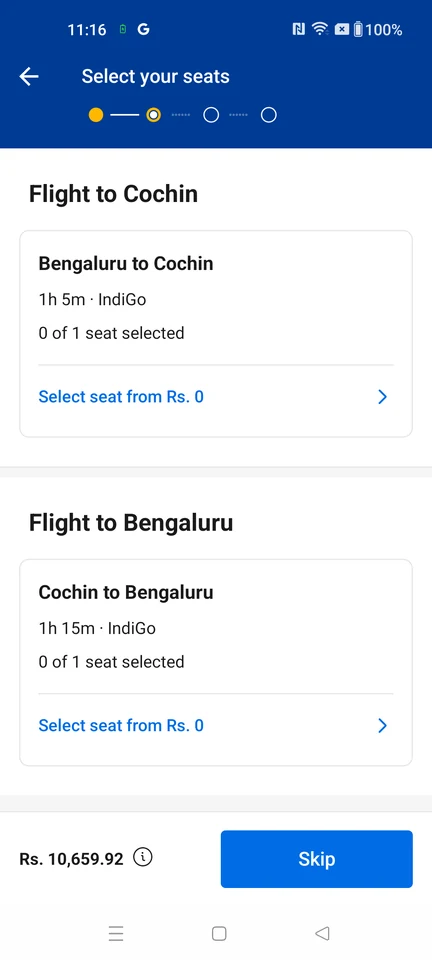
  1. Cleartrip: Flight add-ons

    Optional seat, meal, and baggage upgrades; seat selection is unavailable and add-ons may be skipped.

    Cleartrip Flight add-ons

    Open the related flow

  2. MakeMyTrip: Cabs priced options listing

    Partner-aggregated cab classes for the searched trip: a trip header with an Edit control, the Ride Guarantee strip, the distance/duration basis of the rates, and priced vehicle-class cards with seat counts, fuel type and an inline coupon and roof-carrier add-on.

    MakeMyTrip Cabs priced options listing

    Open the related flow

  3. MakeMyTrip: Hotels Review Booking

    Pre-payment stay summary: property name and locality, check-in and check-out with night count, guests and rooms, the selected room and meal plan, a non-refundable notice, an Inclusions & Cancellation Policy link, a recommended Addons block, and the total with CONTINUE.

    MakeMyTrip Hotels Review Booking

    Open the related flow

  4. MakeMyTrip: Hotels payment landing — choose a payment method

    Payment-method landing with a session countdown: Total Due, a saved-payment login prompt, a Trip Secure+ add-on that reprices the total, a Gift Cards expander, and the payment options list (UPI Options, Credit & Debit Cards, EMI with a No Cost EMI badge).

    MakeMyTrip Hotels payment landing — choose a payment method

    Open the related flow