Order pizza for delivery as a guest — Domino’s UX flow
Browse the Domino’s menu as a guest, add a pizza and enter a delivery address. Review the checkout-ready cart before placing an order.
Step 1: Guest home with delivery mode
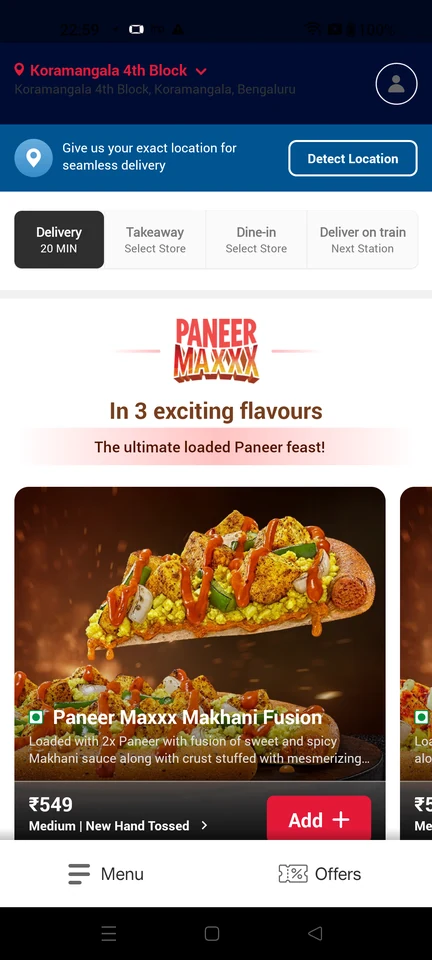
Home · Top bar, Inline alert, Button, Segmented control, Logo, Carousel
Step 2: Browse the pizza menu
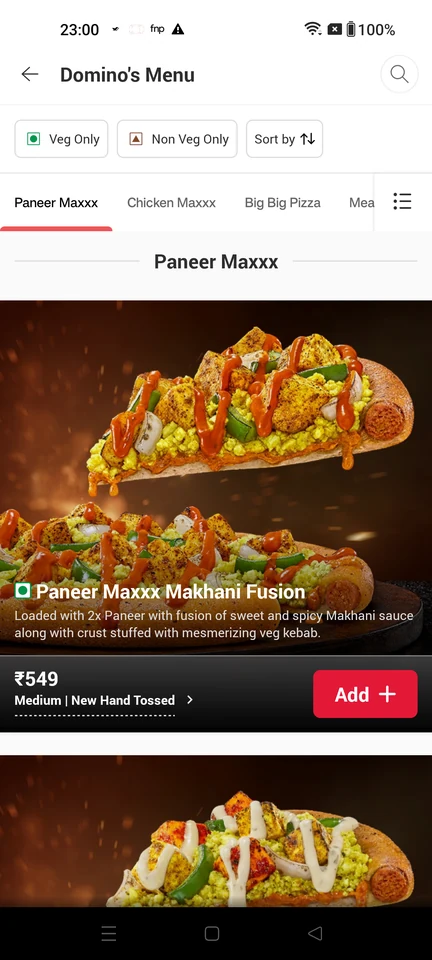
Product listing · Top bar, Filter control, Tabs, Button, Image, Price
Step 3: Add a pizza to the cart
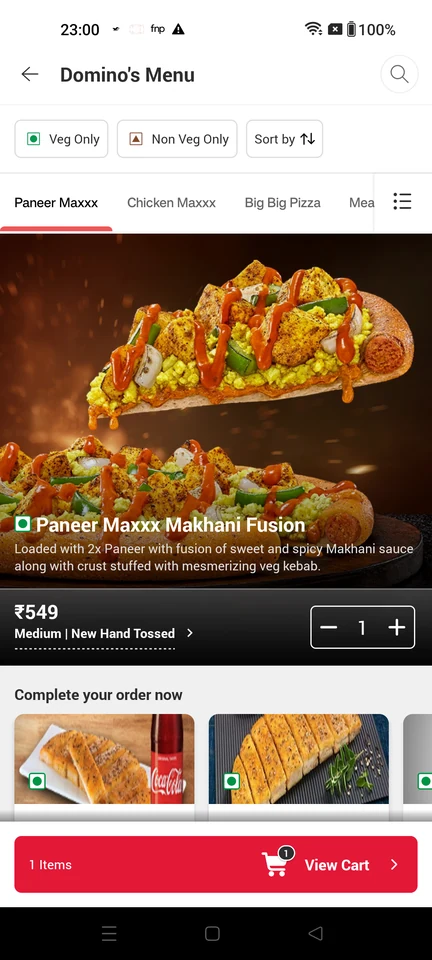
Product listing · Top bar, Filter control, Tabs, Quantity stepper, Floating cart bar, Price
Step 4: Review cart and add address
Step 5: Delivery address form
Step 6: Address ready to save
Step 7: Checkout-ready cart