Add an item to the bag and start checkout — SNITCH UX flow
Browse SNITCH shirts, choose an available size and add the product to the bag. Review pricing and start checkout, which requires phone verification.
Step 1: SNITCH home storefront

Home · Search bar, Carousel, Page indicator, Text link, Section header, Bottom navigation
Step 2: Browse categories
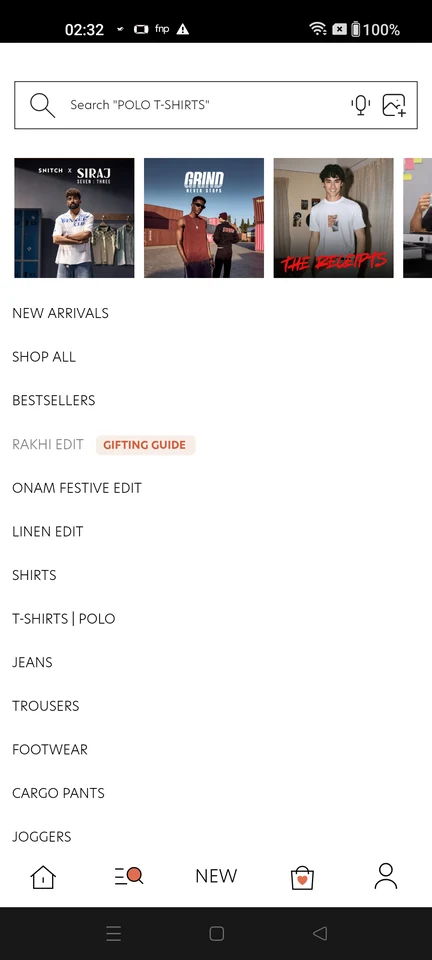
Categories · Search bar, Carousel, List, Badge, Bottom navigation
Step 3: Shirts listing
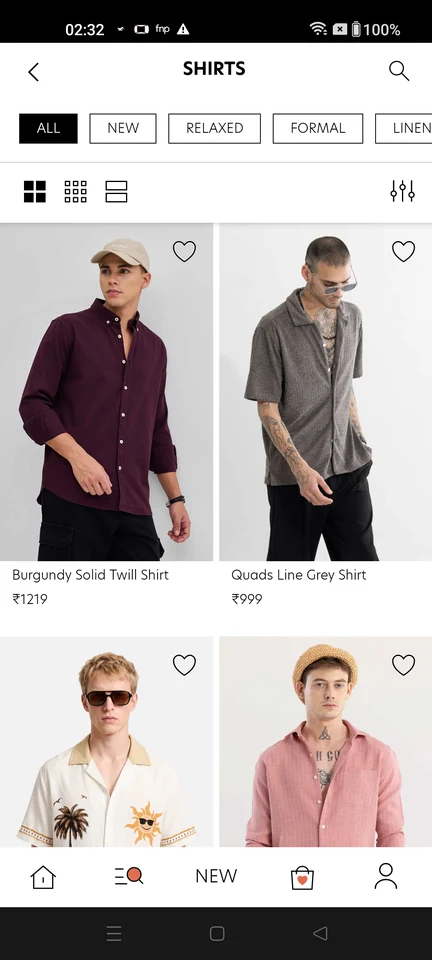
Product listing · Top bar, Chip, Filter control, Image, Price, Bottom navigation
Step 4: Shirt product details
Step 5: Choose a size
Step 6: Added to bag
Step 7: Review bag and price details
Step 8: Login required to continue