Applying a coupon — NoBroker UX flow
Applying a coupon in NoBroker.
Step 1: Apply the suggested coupon
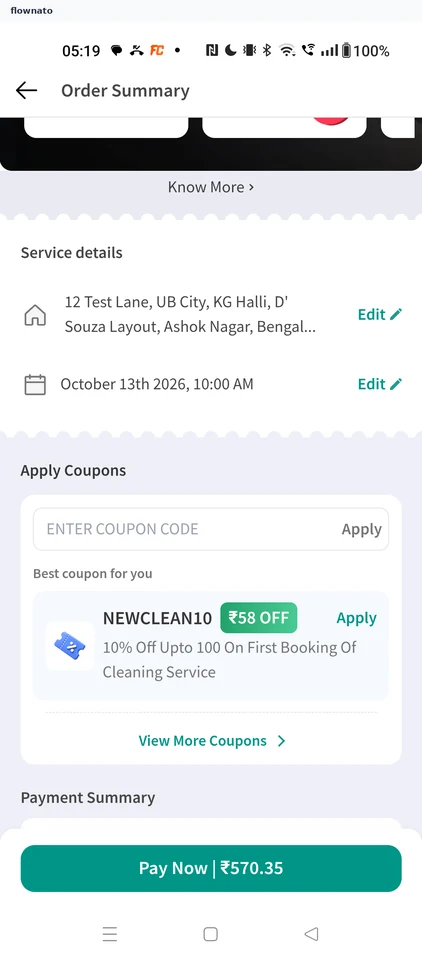
Checkout · Top bar, Text input, Coupon card, Text link, Sticky action bar, Button
Step 2: Coupon applied
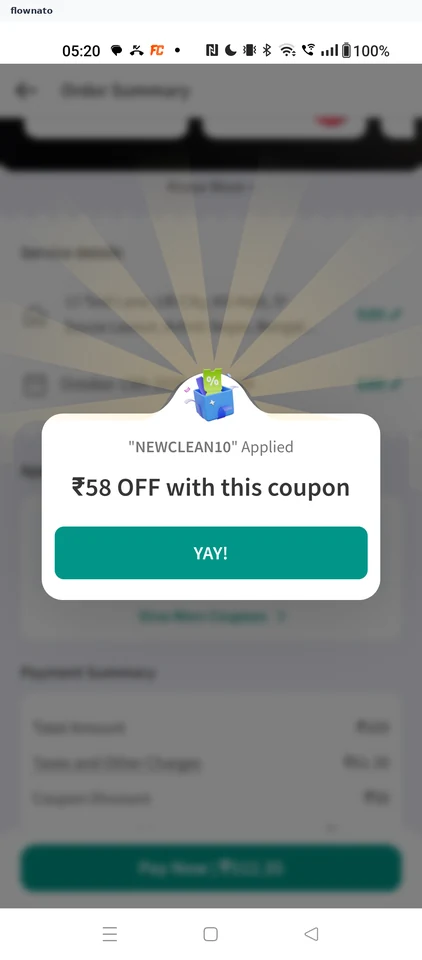
Applying a coupon in NoBroker.
Checkout · Top bar, Text input, Coupon card, Text link, Sticky action bar, Button