Onboarding — redBus UX flow
Choose country and language in redBus and sign in with Google. Set location and notification preferences before reaching the travel home.
About this journey
Flow pattern: Onboarding
Step 1: redBus opens
Step 2: Choose country and language
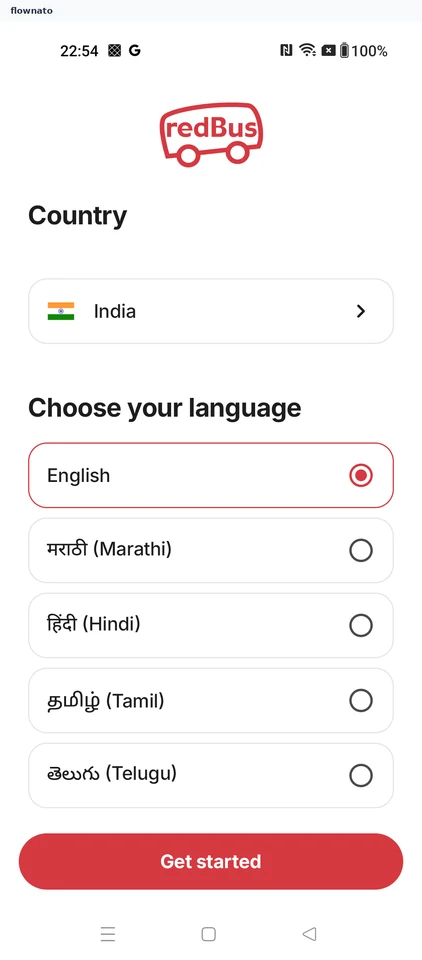
Language selection · Logo, Select, Radio button, Card, Button
Step 3: Choose a sign-in method
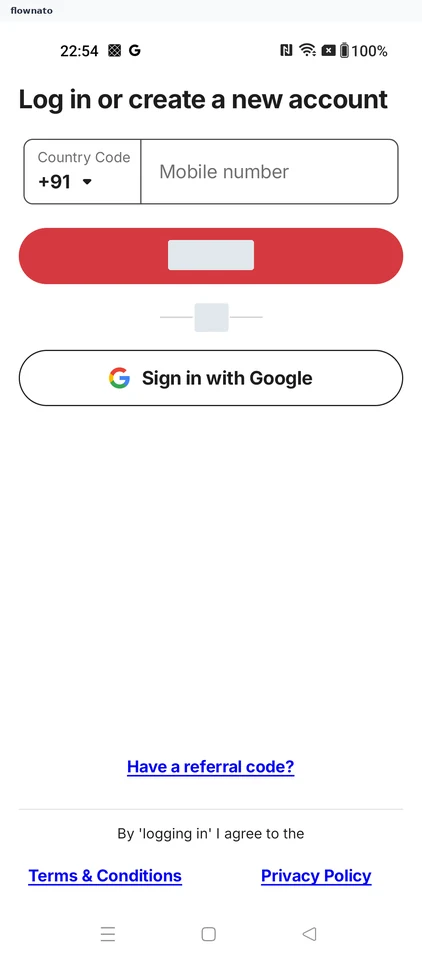
Login · Select, Text input, Button, Social login button, Text link
Step 4: Confirm Google sign-in
Step 5: Choose location sharing
Step 6: Choose notification access
Step 7: Reach travel home