Saving an item for later — PharmEasy UX flow
Saving an item for later in PharmEasy.
Step 1: Cart with Crocin re-added
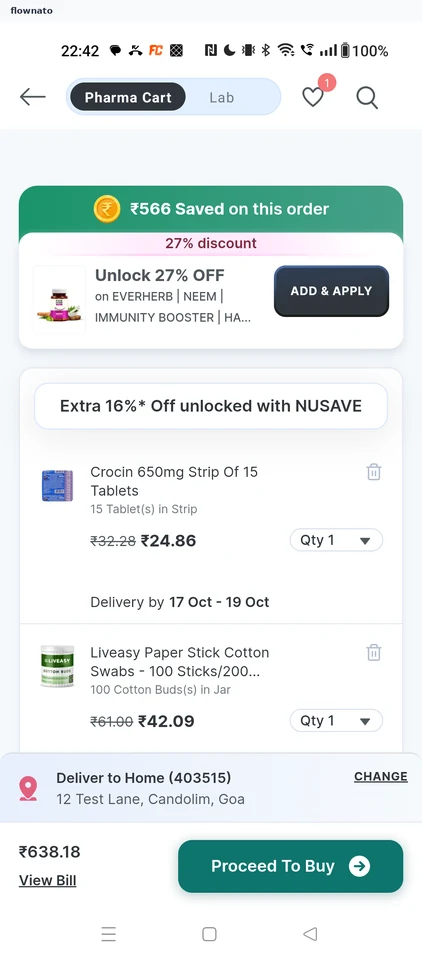
Step 2: Choose Save for Later
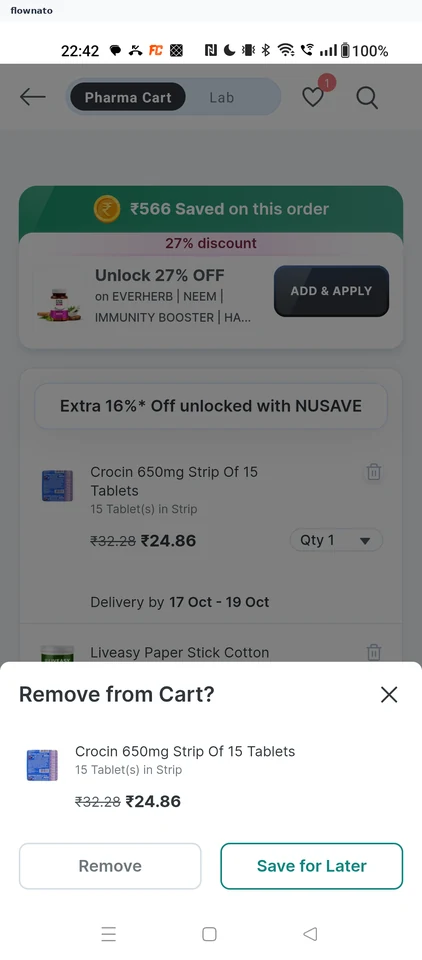
Cart · Bottom sheet, Button, Price, Segmented control, Coupon card
Step 3: Saved for later
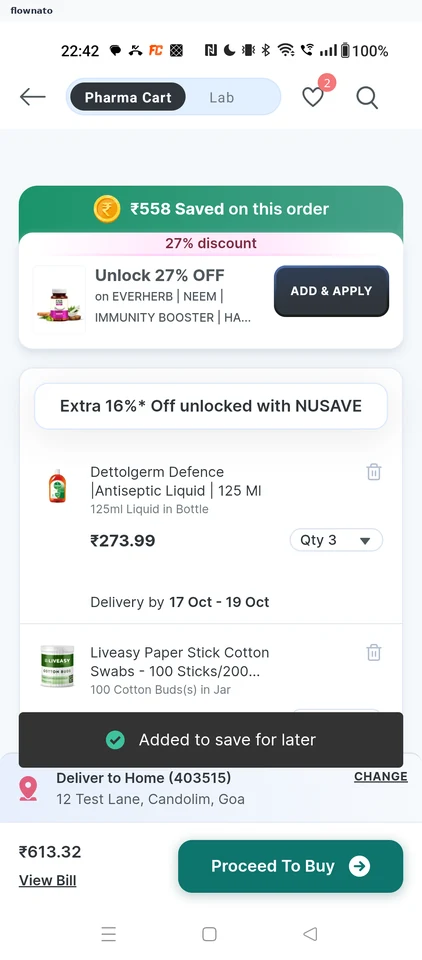
Cart · Toast, Coupon card, Select, Segmented control, Sticky action bar