Onboarding — Inshorts UX flow
Choose a reading language and notification preference in Inshorts. Sign in with Google from the profile tab and return to the signed-in news feed.
About this journey
Flow pattern: Onboarding
Step 1: The app opens
Step 2: Choose a reading language
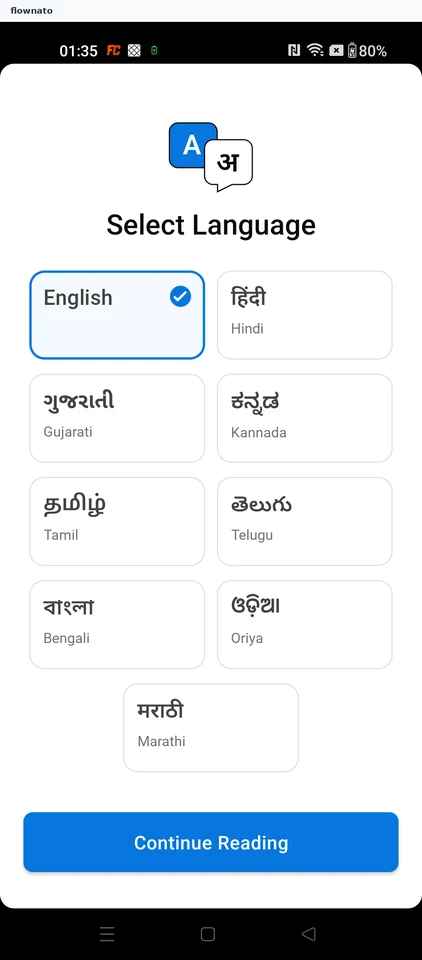
Language selection · Icon, Card, Button, Text
Step 3: Decide on notifications
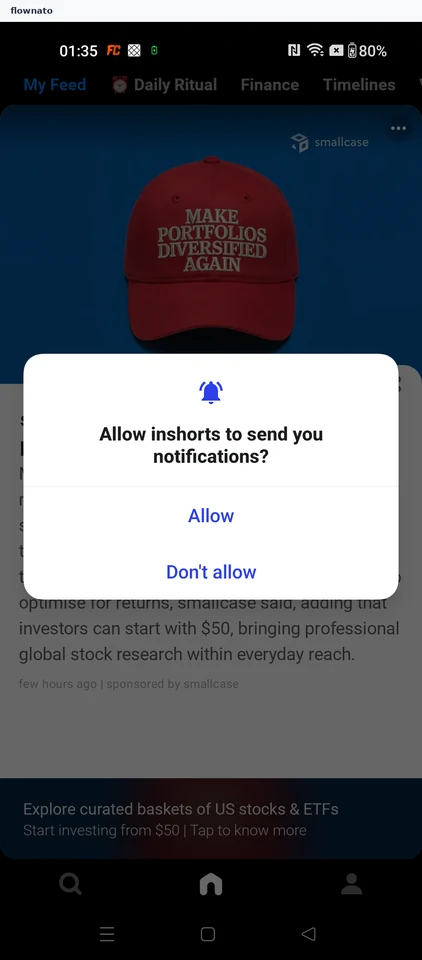
App permissions · Dialog, Icon, Button, Tabs, Image, Bottom navigation
Step 4: Read the news feed
Step 5: See what signing in adds
Step 6: Pick a sign-in method
Step 7: Choose a Google account
Step 8: The account is signed in
Step 9: Back to a signed-in feed