Onboarding — Healthify UX flow
Onboarding in Healthify.
Step 1: Launch Healthify

Step 2: Choose how to create an account
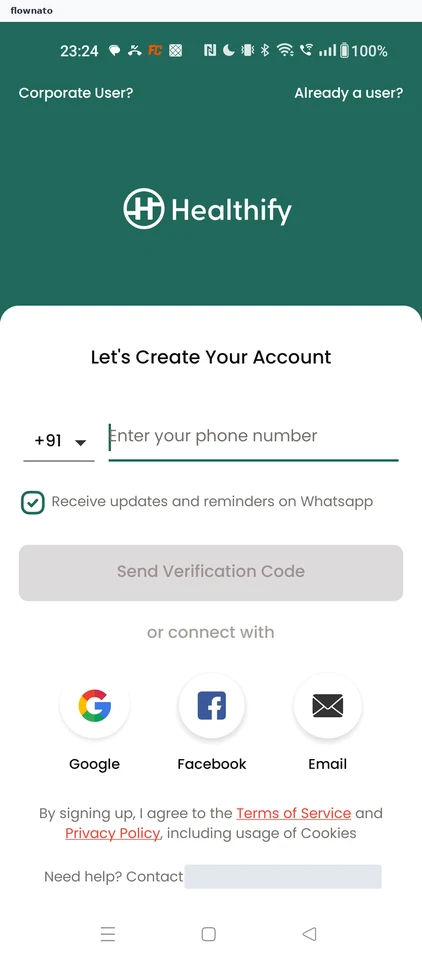
Login · Logo, Select, Text input, Checkbox, Button, Social login button
Step 3: Pick a Google account
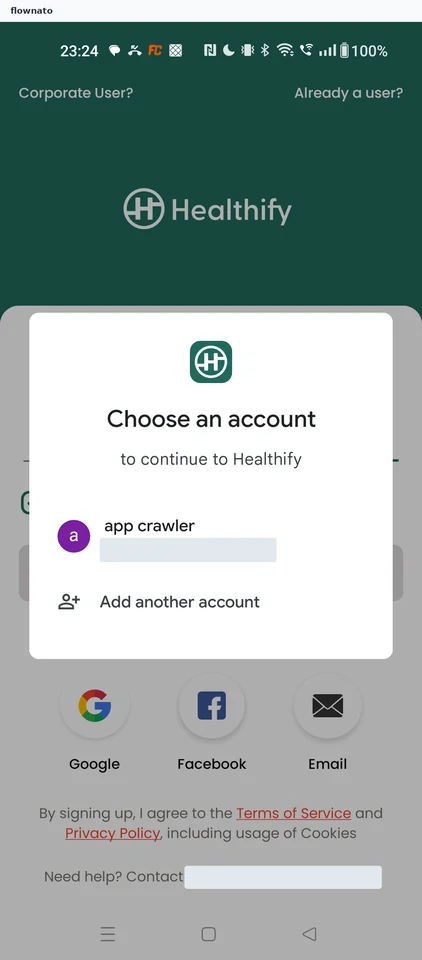
Step 4: Agree to share Google details
Step 5: Confirm your name
Step 6: Decline location access
Step 7: Pick your city
Step 8: Choose a spoken language
Step 9: Continue with city and language
Step 10: Select what you're looking for
Step 11: Add a second goal
Step 12: Continue with two goals
Step 13: Choose your activity level
Step 14: Choose biological sex
Step 15: Set your age
Step 16: Switch height units
Step 17: Confirm height in centimetres
Step 18: Set current weight
Step 19: Set a target weight
Step 20: Declare medical conditions
Step 21: Finish the questionnaire
Step 22: See the Snap AI tracking intro
Step 23: Decline photo access
Step 24: Skip reminder notifications
Step 25: Close the Healthify+ offer
Step 26: Close the one-time discount
Step 27: Arrive at the first-meal prompt