Logging a meal — Healthify UX flow

Logging a meal in Healthify.

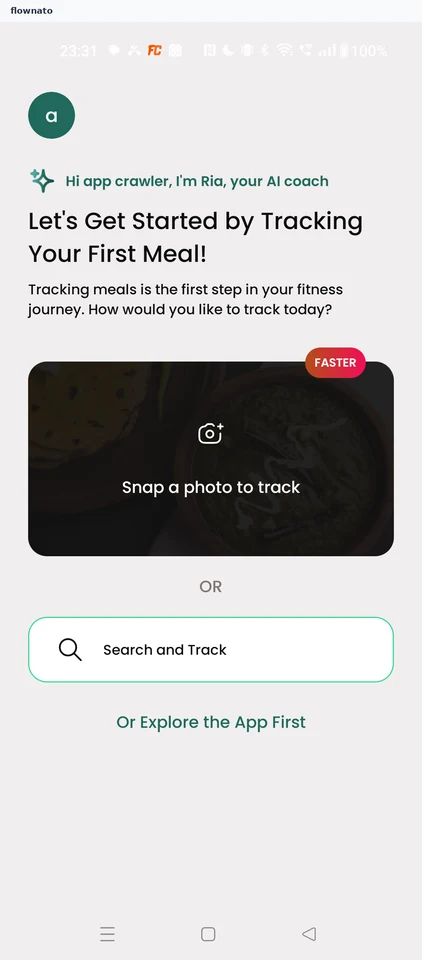
  1. Step 1: Start tracking a meal

    Healthify Start tracking a meal screen

    Option selection · Avatar, Card, Badge, Button, Text link

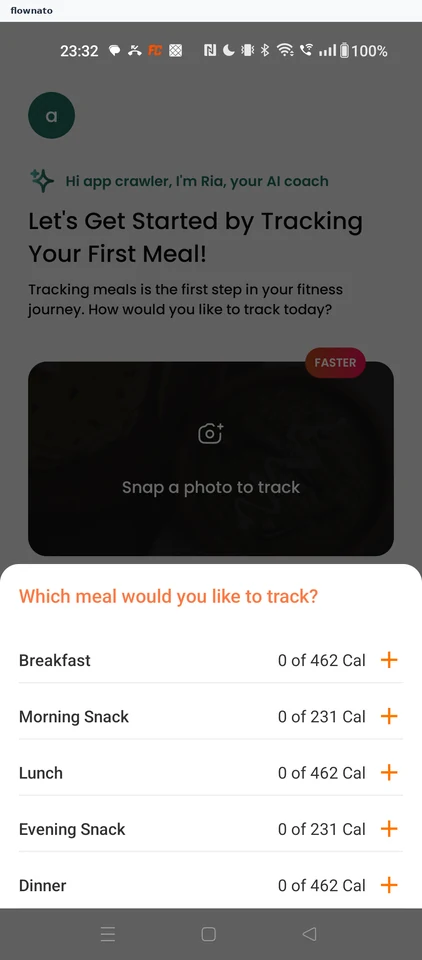
  2. Step 2: Choose which meal

    Healthify Choose which meal screen

    Option selection · Bottom sheet, List, Icon, Avatar, Badge

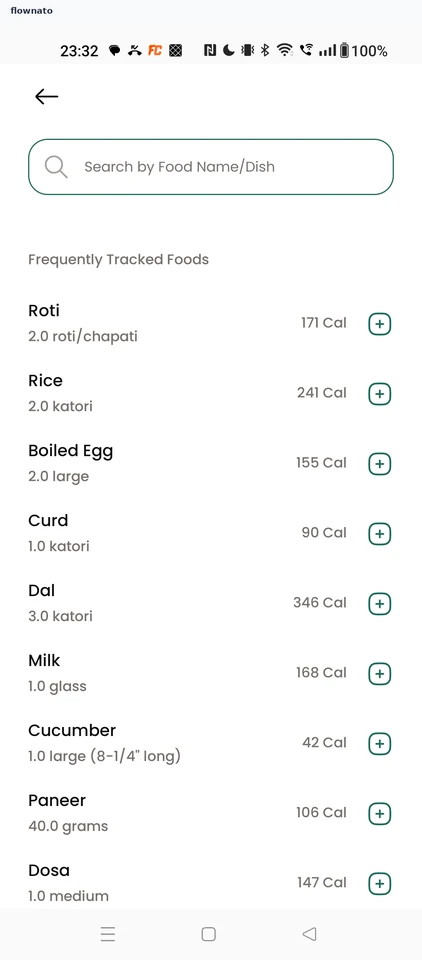
  3. Step 3: Search for a food

    Healthify Search for a food screen

    Search · Search bar, List, Section header, Icon

  4. Step 4: Pick a search result

  5. Step 5: Review the food's nutrition

  6. Step 6: Edit the quantity

  7. Step 7: Set the quantity

  8. Step 8: Track the meal

  9. Step 9: Free trial unlocked

  10. Step 10: Dismiss the Home tip

  11. Step 11: Meal logged on Home

Sign in to view every step

More Healthify journeys