Book movie tickets — District UX flow
Browse District movies, choose a cinema and showtime, and select a seat. The guest flow ends at the sign-in request before payment.
Step 1: Choose Movies on app home
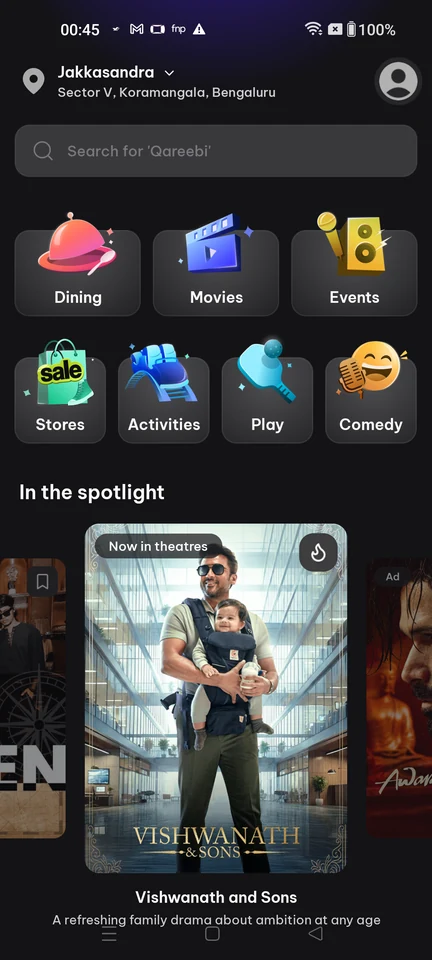
Home · Search bar, Card, Carousel, Illustration, Badge, Section header
Step 2: Browse now-showing movies
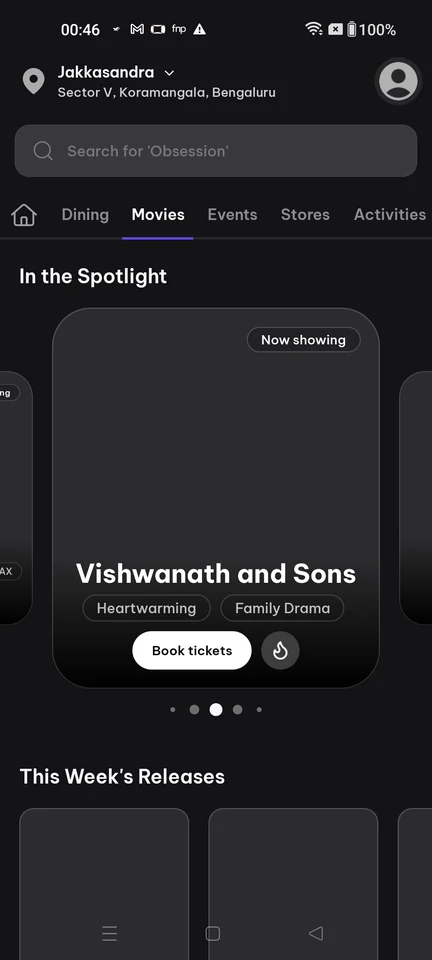
Browse · Search bar, Tabs, Carousel, Page indicator, Button, Chip
Step 3: Movie page with Book tickets
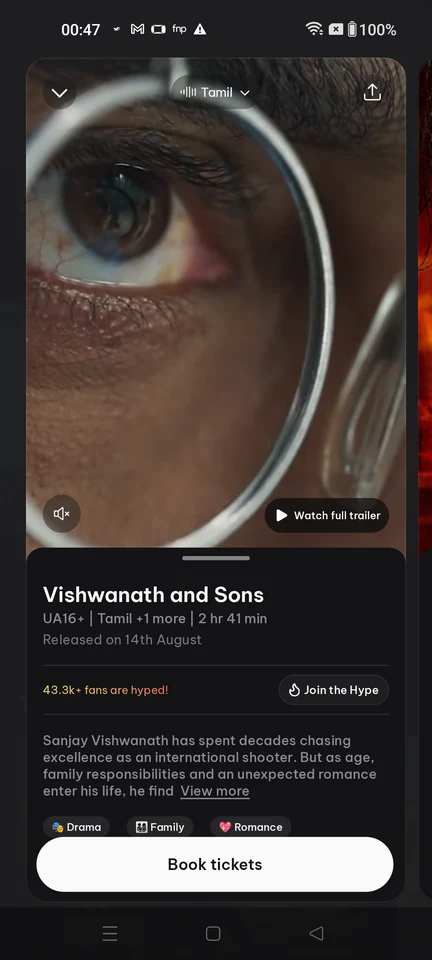
Media details · Video, Button, Chip, Select, Text link, Icon
Step 4: Choose a cinema and showtime
Step 5: Select a seat
Step 6: Sign-in required to proceed