Sorting food history — MyFitnessPal UX flow
Sorting food history in MyFitnessPal.
Step 1: History sort chip
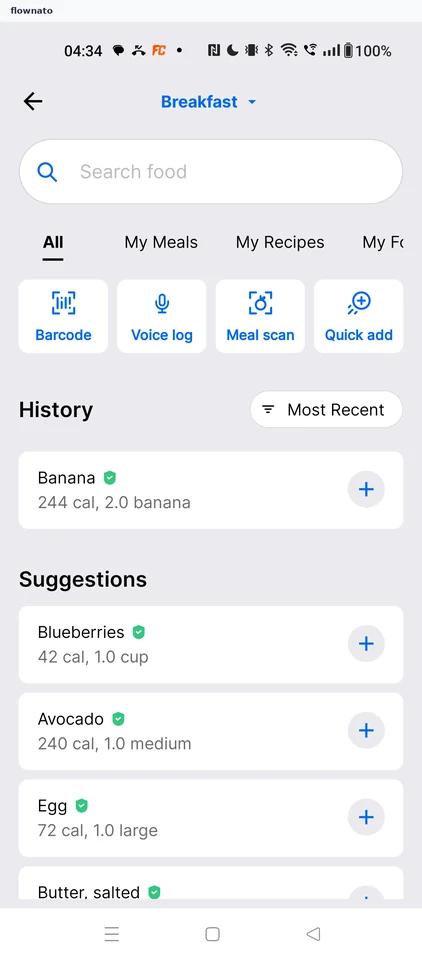
Search · Search bar, Tabs, Filter control, Card, Section header
Step 2: Sort and filter sheet
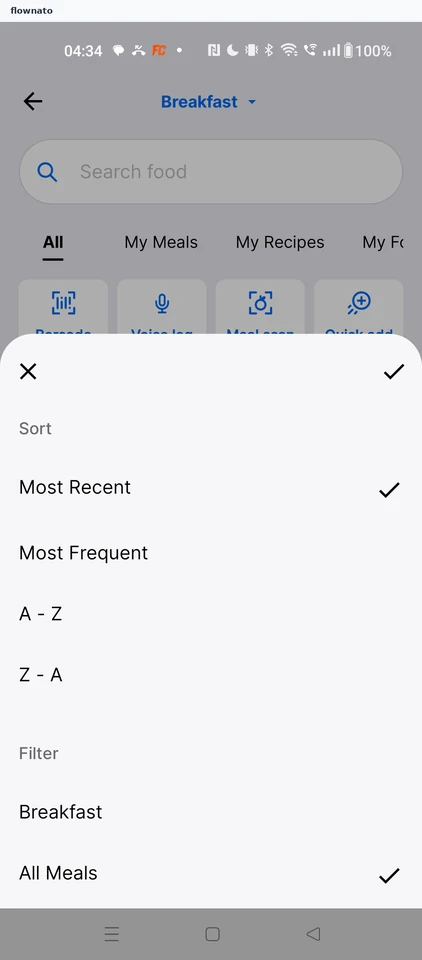
Step 3: Confirm the sort
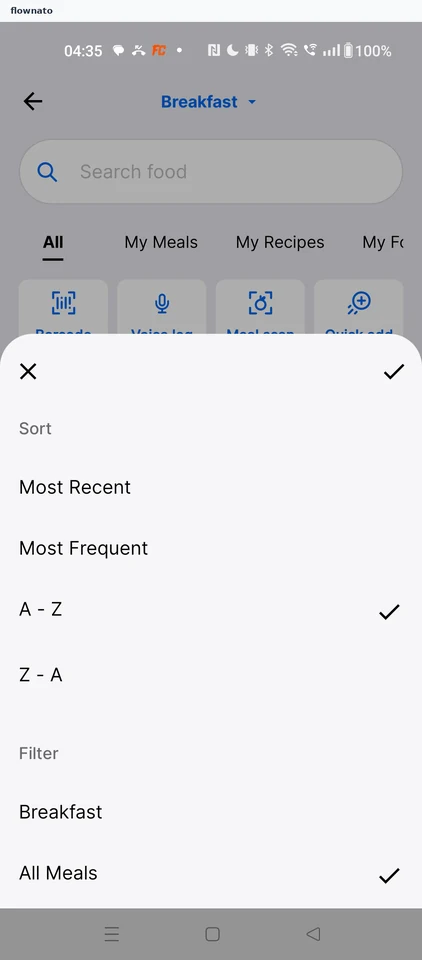
Filter and sort · Bottom sheet, List, Section header, Icon, Search bar
Step 4: History sorted A - Z