Changing item quantity — Apollo 247 UX flow
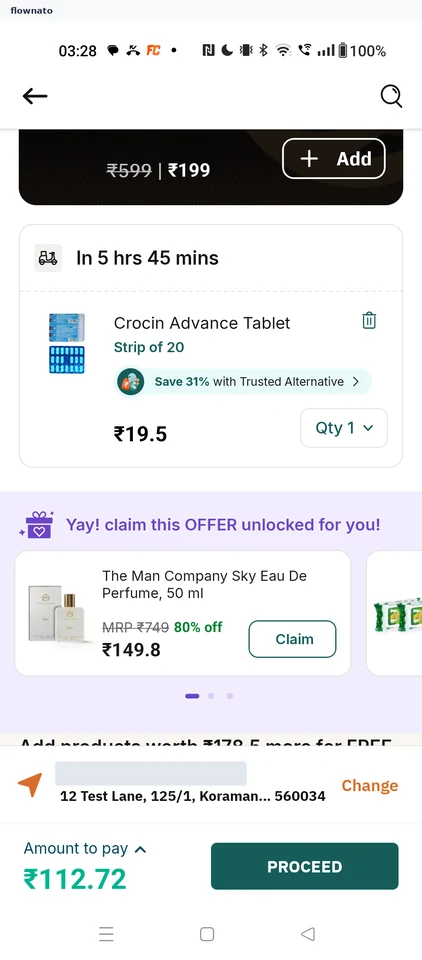
Changing item quantity in Apollo 247.
Step 1: Cart item
Step 2: Quantity options
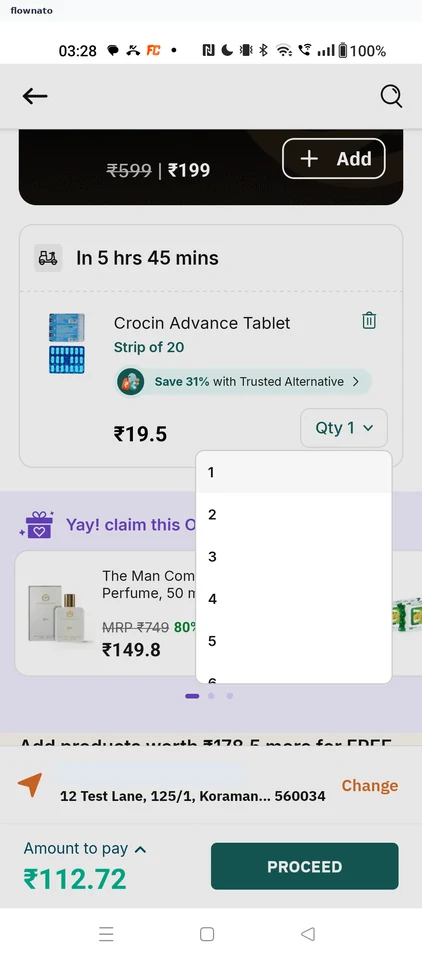
Cart · Dropdown menu, Select, Card, Price, Sticky action bar
Step 3: Quantity updated
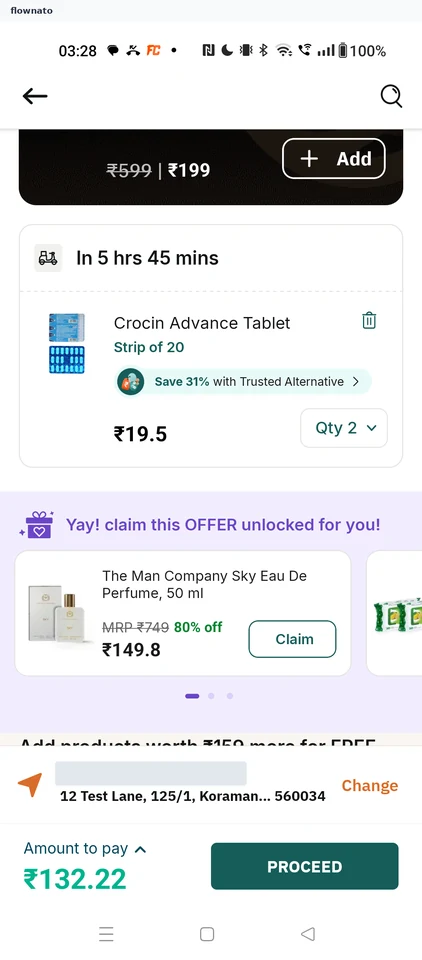
Changing item quantity in Apollo 247.
Cart · Dropdown menu, Select, Card, Price, Sticky action bar